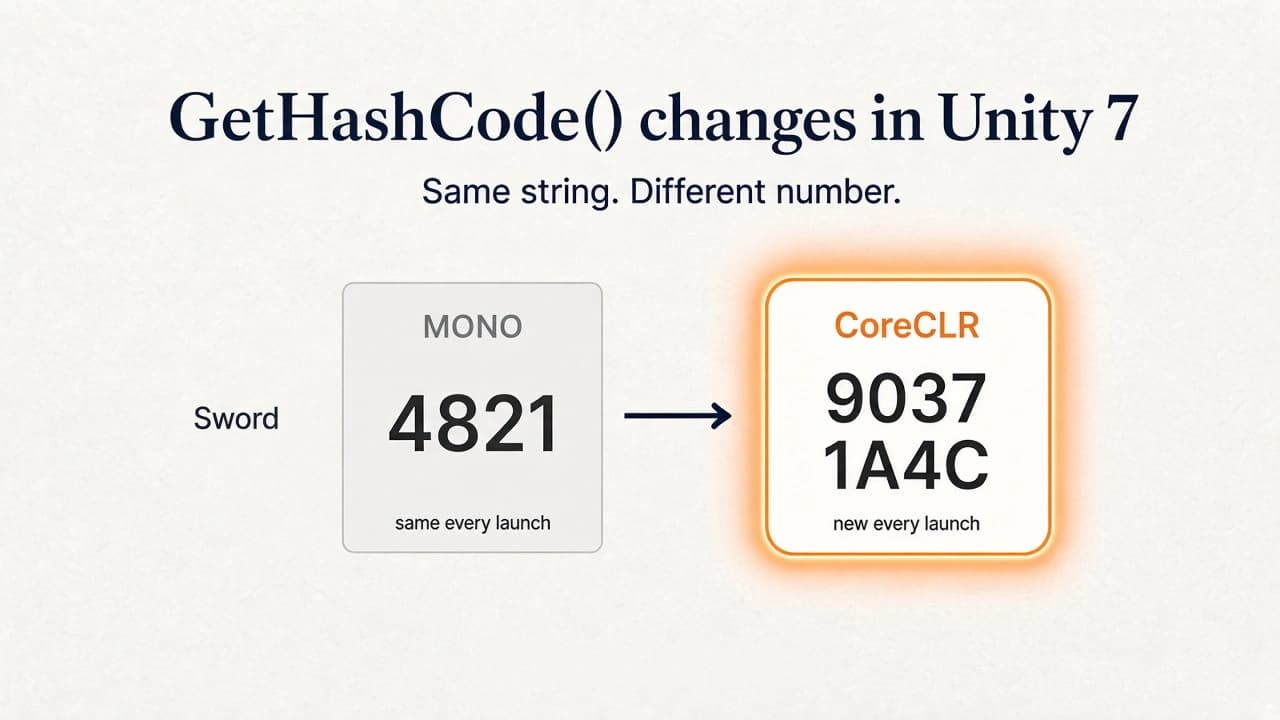
On CoreCLR, string.GetHashCode() returns a different number every time the game starts. Saves, network IDs, and mixed Editor and IL2CPP builds are where that shows up.
By Tim UhlottFounder|Last updated: October 20, 2026|8 minutes read
unityupdate
I wrote about why Unity is replacing Mono with CoreCLR in August, and about what changed in the Unity 7 alpha after the first public build. You can expect that most of your code runs and compiles as before. But one important thing changed: string.GetHashCode(). The Unity deprecation notifier does not warn you about this.In Unity 6 on Mono, "Sword".GetHashCode() gives you the same number every time you start the game. On CoreCLR, start the game twice and you get two different numbers for the same string.If that number is in a save file, a network message, or an item ID, the next launch will not match it.
What changed
Modern .NET randomizes string hashing. When a process starts, the runtime picks a random seed. Every string.GetHashCode() call mixes that seed into the result, using an algorithm called Marvin32.Inside one run of the game, everything is consistent. "Sword" always hashes to the same value until you close the game. The next run gets a new seed and new values.You cannot turn this off. The old .NET Framework had a config switch called UseRandomizedStringHashAlgorithm. In .NET Core and .NET 5+ that switch is ignored, which Unity's CoreCLR uses.
Why Microsoft did this
Microsoft randomized the seed so a web server cannot be flooded with strings that all land in the same Dictionary bucket. If the hash is predictable, someone can craft those strings on purpose. A random seed per process stops that guess. A Unity process picks up the same seed when it moves to CoreCLR.
It was only stable on Mono
GetHashCode() was never meant to be stable across runs. Microsoft's guidelines have said so for over a decade. The value is only for in-memory hash tables inside the current process.Mono happened to give stable results, and a lot of Unity projects were built on that. Mono's algorithm was also different from the .NET Framework one, so those numbers only matched on the same runtime.
Takeaway: Mono string.GetHashCode() was stable across launches, but that was never a promise.
What this means for your Unity project
Things that still work fine:
Dictionary<string, T> and HashSet<string> in memory
Switch statements on strings
Anything that only lives for one play session
Things that can break:
Save games that store name.GetHashCode() as an item or quest ID
Network messages that send a string hash instead of the string
Asset or localization lookups keyed by a stored hash
Lockstep simulations that seed anything from a string hash
Records, tuples, and HashCode.Combine(...) that include a string. They call string.GetHashCode() underneath, so they are random too.
A value that only lives in a Dictionary during play can stay. One that is written to disk or sent to another machine needs your own hash, or the string itself.There is also a mixed-runtime problem. I already wrote, in why Unity is replacing Mono with CoreCLR, that IL2CPP stays and that the Editor and the player do not switch on the same day. An IL2CPP build may keep giving deterministic hashes while the Unity 7 Editor on CoreCLR gives random ones. A save file written in the Editor may not load in a device build, or the other way around. That bug only shows up on real hardware.
How to find it in your code
Search your project for GetHashCode and HashCode.Combine. For every hit, ask one question: does this value ever leave memory? If it is written to disk, sent over the network, or compared with a value from another machine, replace it.
Writing your own stable hash
Use a hash whose algorithm is fully written down and does not depend on the runtime. A few lines can be enough.
FNV-1a (fast, 32-bit)
FNV-1a is a small, well known algorithm. It is a good default for IDs, lookup keys, and save data.
publicstaticclassStableHash{publicstaticintFnv1a32(string text){unchecked{uint hash =2166136261;foreach(char c in text){ hash ^= c; hash *=16777619;}return(int)hash;}}}
You call it like this:
int itemId = StableHash.Fnv1a32("Sword");// same on Mono, CoreCLR, and IL2CPP
If you have many thousands of strings and you worry about collisions, use the 64-bit variant:
publicstaticulongFnv1a64(string text){unchecked{ulong hash =14695981039346656037;foreach(char c in text){ hash ^= c; hash *=1099511628211;}return hash;}}
One detail: these functions hash UTF-16 char values. That is fine as long as every platform uses the same function. If a server written in another language has to produce the same hash, hash the UTF-8 bytes on both sides instead.
SHA-256 (when collisions must not happen)
For content fingerprints, mod file checks, or anything where two different inputs must never share a hash, use a cryptographic hash.The Unity 7 alpha is still on C# 9 and .NET Standard 2.1, same as Unity 6. This sample uses the APIs that surface has today:
When .NET 10 lands in the Editor, the same job is SHA256.HashData(bytes) and Convert.ToHexString(hash).SHA-256 is slower and produces 32 bytes instead of 4. Keep it out of per-frame code.
Store the string
You could also make it way more simple and just store the string. A quest called "rescue_the_blacksmith" is a few bytes longer than an int, and you can still read it in a save file. Hash it at load time if you need fast lookups.
Migrating existing saves
If Unity 6 players already have save files full of Mono hash values, ship a one-time conversion. You know every item and quest name in your game, so build a table that maps old hash values back to their strings, then rewrite the save with stable hashes or plain strings.You could also re-implement Mono's exact algorithm yourself, but only trust it after testing against real save files from a real Mono build. Do this before you upgrade, while Unity 6 and the alpha can still run side by side.
00 views
00 shares
Discussion about this post
No comments yet. Be the first to start the discussion.