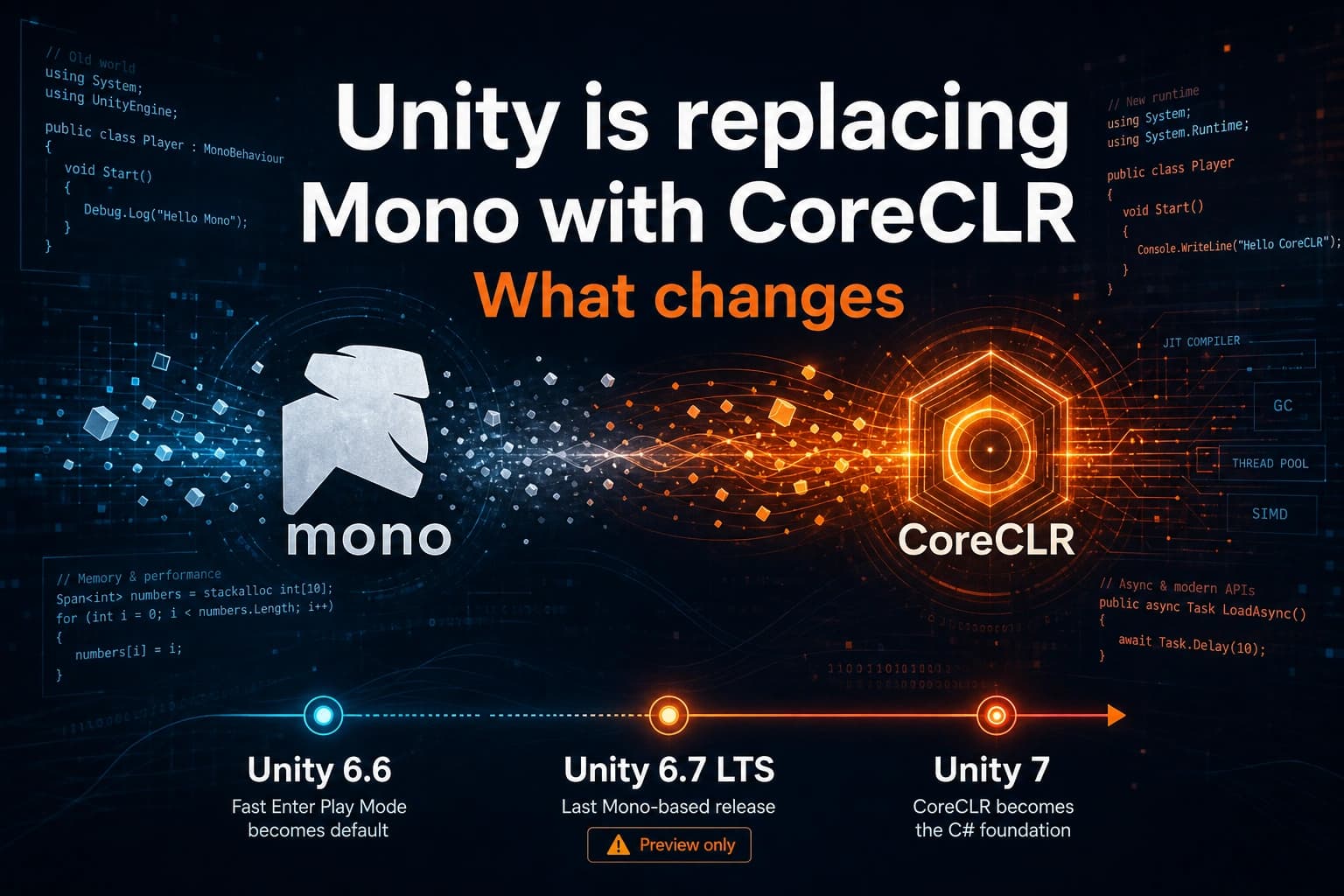
Unity is replacing Mono with CoreCLR. What changes
Unity is replacing the Mono runtime with CoreCLR. Here is what changes in 6.7 and Unity 7, why IL2CPP stays, and what to test before updating.
By Tim UhlottFounder|Last updated: August 31, 2026|15 minutes read
unitycoreclrmonoupdate
When you build a Unity player today, you pick a scripting backend. For a long time the choices were Mono or IL2CPP.That list is about to change. Unity is replacing Mono with CoreCLR. But no worries, IL2CPP stays. So the new choice is CoreCLR or IL2CPP.It is a real change after many years of Mono.So let us explore what this switch mean for you as a game developer and your games runtime.
What is a runtime?
A runtime is the program that takes your compiled C# and makes it run. It loads assemblies, manages memory, starts threads, and talks to the operating system.You do not write the runtime. You write MonoBehaviour scripts. Unity then picks a backend and that backend runs those scripts.The backend is why a Windows Mono build ships Assembly-CSharp.dll, and why an IL2CPP build ships GameAssembly.dll.
What is Mono?
Mono is the runtime Unity has used for years for JIT (Just In Time) builds and for the Editor. JIT means the runtime compiles your C# on the machine that runs the game.In a Mono player, your game scripts usually live in managed DLLs. Assembly-CSharp.dll is the common one. A Mono virtual machine loads those DLLs and runs them.Unity does not use stock Mono from the wider C# world. It uses a custom fork. That fork is why Unity C# often sat behind current .NET. New language features, a newer garbage collector, and many current libraries arrived late or not at all.
What is CoreCLR?
CoreCLR is Microsoft's current open source .NET runtime. It is the runtime that powers modern .NET apps. Which Unity now also will use for its games.CoreCLR is still a JIT runtime. Your C# is still managed code, but the runtime under that C# is newer.A few concrete differences:
Feature
Mono
CoreCLR
Runtime
Old fork
Modern .NET
JIT
Old JIT
RyuJIT with tiered compilation
Garbage collector
Boehm GC (slow)
CLR GC (fast)
.NET surface
Older APIs
Newer APIs (.NET 10, C# 14 planned)
Tiered compilation means the runtime compiles your code twice. The first pass is fast to produce but not fully optimized, so your game starts quickly. Then, while the game runs, the runtime recompiles the hot paths (the code that runs most often) with heavier optimizations. Because of this, a fresh start can measure slower than a session that has already warmed up. Unity also notes that the CoreCLR player is still in active development, so don't treat a first timed run as the final performance number.
Takeaway: CoreCLR is not a new language. You still write C#. The runtime under that C# is changing.
Where this lands in Unity versions
Unity has used both "6.8" and "Unity 7" in public posts while this work landed. The order of the work is easier to follow than the names.
Release
What happens
What you do
Unity 6.6
Fast Enter Play Mode is the default for new projects. You can serialize Dictionary fields. Unity starts using the mimalloc allocator. Burst becomes a built-in module.
Turn on Fast Enter Play Mode in an existing project. Fix static state that Play Mode used to wipe.
Unity 6.7 LTS
Last release built on Mono. An experimental CoreCLR player exists for Windows, macOS, and Linux, next to Mono and IL2CPP.
Test CoreCLR in a branch. Do not ship that experimental player.
Unity 6.8 / Unity 7
Mono is removed as a scripting option. CoreCLR becomes the C# foundation. Unity 7 (beta planned for December 2026, full release in Q1 2027) is built on that core.
This is the upgrade you plan for.
Unity's 6.7 manual is clear about the experimental player. It is a technical preview for testing. It is not for production. It is only for macOS, Windows, and Linux build profiles. It also stays on the current .NET Standard 2.1 and C# 9 surface. You do not get .NET 10 in that preview.Unity is also aiming for performance parity at the cutover. Some things will be faster, others will be slower. The bigger speed work is planned after the new runtime is in place.And one detail that is easy to miss: the 6.7 Editor still embeds Mono. If you pick CoreCLR in Player Settings, that choice is for the desktop player you build. Play Mode in the Editor is still Mono.
Takeaway: With Unity 6.7, you can test the CoreCLR player in the Editor. But you should not ship it yet.
The garbage collector
Mono uses the Boehm–Demers–Weiser Garbage Collector (Boehm GC). It is very conservative, that means it does not move objects in memory. It cannot always tell a live object from a random number that looks like a pointer, and it never packs memory back together. That is one reason GC spikes show up as frame hitches.CoreCLR uses a precise, moving, generational collector. It knows which objects are still alive. It can compact memory. Unity staff have said the CoreCLR large object threshold is 85 KB. That is a different rule than the old Boehm setup on desktop and mobile.If you profile a Mono editor or a Mono desktop player, this is the change you will notice first. If you ship on IL2CPP, you unfortunately will not see this change at the moment. IL2CPP keeps the Boehm collector.Unity 6.6 also starts using mimalloc, Microsoft's allocator. It handles multithreaded allocation better than the old path. Code that uses the C# Job System can get more stable allocation from the engine update alone.
Faster Play Mode, and static fields that stop resetting
For years, entering Play Mode meant a full domain reload. Static fields reset. The editor paused while that happened.Fast Enter Play Mode has existed since 2019 but finally in 6.6 it becomes the default for new projects. By the CoreCLR cutover it is the only option. Unity will no longer unload the whole managed world for a script change. Later they want finer reloads, so only the assemblies you changed come back in.Static variables then stop resetting for free. If your game "works" because Play Mode wiped a static cache, it will look broken until you clear that cache yourself.
// This used to look fine. Domain reload reset the list every time you pressed Play.// With Fast Enter Play Mode, the list keeps growing across Play sessions.publicstaticclassEnemyCache{publicstaticreadonlyList<Enemy> Alive =newList<Enemy>();[RuntimeInitializeOnLoadMethod(RuntimeInitializeLoadType.SubsystemRegistration)]staticvoidReset(){ Alive.Clear();}}
Unity also added helpers such as [AutoStaticsCleanup]. Project Auditor can list the static fields that will keep old values.
Serialization and BinaryFormatter
Unity 6.6 can serialize Dictionary<TKey, TValue> with [SerializeField]. You can stop writing wrapper lists or ISerializationCallbackReceiver just to keep a dictionary in the Inspector.BinaryFormatter is on the way out. .NET 10 marks it obsolete cause of long standing security problems. If your save system or a plugin still uses it, replace it before the cutover. Unity points people at JsonUtility, DataContractSerializer, System.Text.Json, or a plain BinaryReader / BinaryWriter pair.
IL2CPP is not going away
CoreCLR is a JIT runtime, which works well on desktop players and will work in the Editor once CoreCLR ships there. For now, in 6.7, the Editor's Play Mode still runs on Mono.iOS, the consoles, and some other platforms do not allow JIT. Those targets need ahead of time compilation. That is what IL2CPP already does. Unity compiles your C# to IL first. Then il2cpp turns that IL into C++, and a native compiler turns the C++ into a platform binary.Unity has said it has no plan to retire IL2CPP. CoreCLR's NativeAOT path does not cover every Unity platform.So the old Mono versus IL2CPP choice becomes CoreCLR versus IL2CPP.
Target
Backend after Mono is gone
What you get
Editor (6.7)
Mono (even if the player uses CoreCLR)
Fast Enter Play Mode practice, not a CoreCLR test
Windows / macOS / Linux player
CoreCLR (JIT)
New GC now, current .NET later
iOS, consoles, many mobile stores
IL2CPP (AOT)
The same AOT path as today
IL2CPP desktop or mobile
IL2CPP
Still Boehm GC; .NET 10 / C# 14 later
If you ship on iOS or a console, your production build will very likely still go out through IL2CPP. The editor will be faster and the C# version will be newer. But the on-device GC is still Boehm.
Takeaway: Check where CoreCLR actually runs before you promise a smoother frame time on every platform.
What will break
Unity says most gameplay C# should keep compiling. The problems sit at the edges, mostly where C# meets native code.Mono's garbage collector did not move objects. A lot of native plugin code assumed that. CoreCLR's collector can move objects. Unity had to rework its own marshaling. Third party plugins that pin memory the old way, or pass raw pointers into C++, need a close look.Calls into Mono helper libraries such as MonoPosixHelper.dll will not even fail at compile time. Unity will stop shipping those libraries. At runtime you get DllNotFoundException.Some old .NET habits will compile and then fail later:
BinaryFormatter and some other old serializers
Thread.Abort
AppDomain.CreateDomain and the old DomainUnload cleanup path
AppDomain.CurrentDomain.GetAssemblies() during reload
Assembly.Location (it can come back empty)
Direct P/Invoke into Mono libraries
If your code still has #if ENABLE_MONO, plan a replacement. Unity documents ENABLE_MONO and ENABLE_IL2CPP today, but there is no public ENABLE_CORECLR symbol in the 6.7 scripting reference. When Mono leaves, those Mono-only branches go with it.A few behaviors also change. CoreCLR follows IEEE 754 more strictly than Mono's JIT did, so a few float results can differ. IL2CPP and Burst are not affected the same way. Static constructors can run later, or on a background thread, because they fire when the type is first used. CoreCLR is stricter about public and internal at runtime (reflection still works). Some conversions throw OverflowException where they used to wrap, for example IntPtr.ToInt32() on a 64-bit build.A green Editor compile is not a CoreCLR test. You have to build a player and play it.
What to check before you upgrade
You can start with a list.Write down your native plugins, DllImport calls, and any code that pins managed memory for C++. Gameplay scripts are usually fine. The native edge is where things break.Search your project and your plugin DLLs for BinaryFormatter, SoapFormatter, and Thread.Abort. Grep will miss a compiled vendor DLL, so open those assemblies too.Turn on Fast Enter Play Mode and run Project Auditor's domain reload checks. Fix static lists, static events, and caches that never clear.Check Asset Store packages and SDKs for CoreCLR notes. An old analytics plugin can block the whole upgrade.On a spare branch, open Player Settings, find Scripting Backend, and pick CoreCLR (Experimental). Build a Windows, macOS, or Linux player. Play through login, saves, purchases, and any native store or video SDK.If the project compiles in the Editor but the CoreCLR build fails, start small. Build fewer scenes. Turn off optional plugins one at a time. Read the first real error in the log, not the pile of errors that follow it.If the player starts and then dies, open the player log first. Look for TypeLoadException, FileNotFoundException, or a static constructor that threw. A missing native file next to a managed wrapper is a common cause.Unity's Path to CoreCLR upgrade guide is the page to keep open. They have been updating it through 2026.
Does it affect the Obfuscator?
The GuardingPearSoftware Obfuscator is built on Mono.Cecil. Despite the name, Mono.Cecil is not the Mono runtime; it is a library for reading and editing .NET assemblies. So yes, the Obfuscator will keep working with CoreCLR.
A practical mindset
The CoreCLR switch is a runtime change. Your gameplay C# stays C#. The Editor, the player, and IL2CPP do not all switch on the same day.The work is at the native boundary, in old serializers, and in static state that Play Mode used to wipe for you. The time to look is while 6.7 still lets you compare Mono and CoreCLR side by side.
282282 views
00 shares
Discussion about this post
No comments yet. Be the first to start the discussion.