Why compression matters so much for WebGL
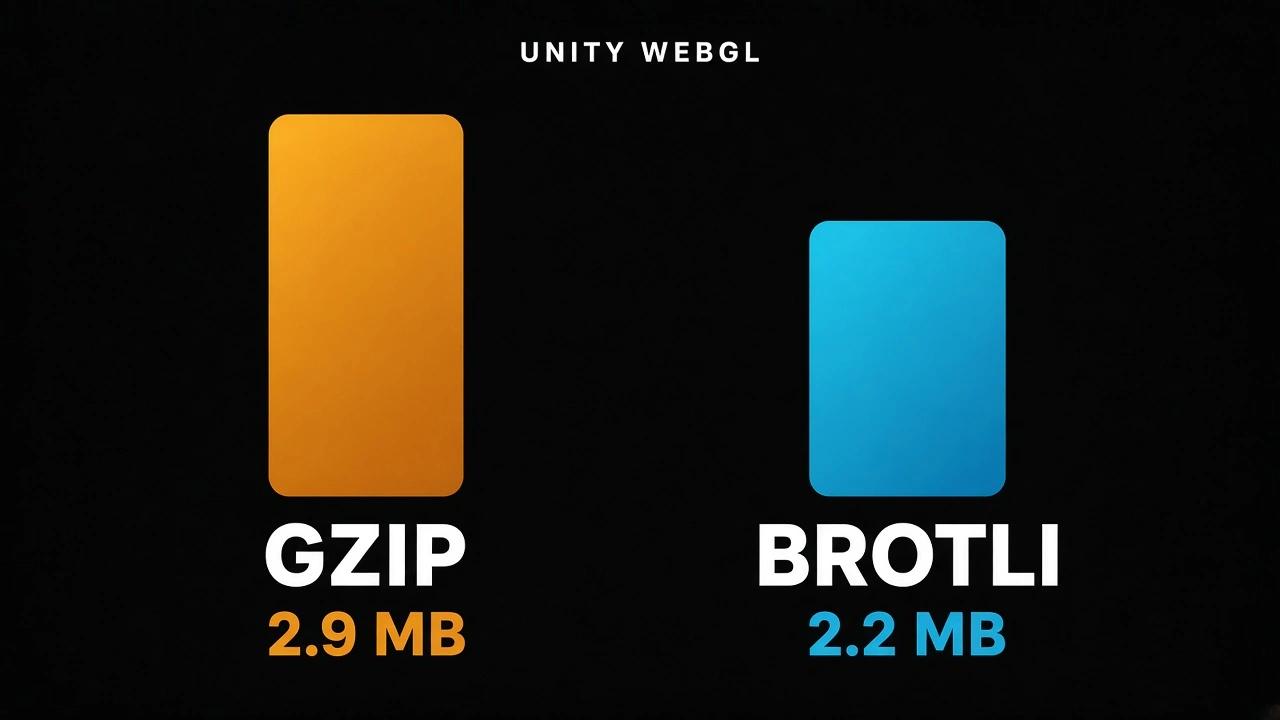
A native game is installed once. A web game is downloaded every time someone opens the page, unless the browser cache still has it. That download happens before the player sees anything, and on web portals players leave within seconds if a loading bar does not move. CrazyGames puts it plainly in their optimization guide (opens in a new tab): a smaller build improves the loading rate, and that improves revenue. An empty Unity project is already more than 10 MB uncompressed, because the engine itself (rendering, physics, UI, audio) ships inside the WebAssembly file. Compression gets that down to 2 to 4 MB. Which format you choose decides where in that range you land.Size
Here are real build sizes from public sources.| Build | Uncompressed | Gzip | Brotli | Source |
|---|---|---|---|---|
| Empty scene, Unity 2021.2, size optimized | not given | 2.9 MB | 2.2 MB | Unity forum (opens in a new tab) |
| Small demo, Unity 2018.2, with TextMesh Pro and physics | not given | about 4 MB | about 3 MB | Johannes Deml, Unity forum (opens in a new tab) |
| Mid-size game, Unity 2022.3 | 27.16 MB | not given | 5.37 MB | Milton Candelero (opens in a new tab) |
| Production game, code + data | 22.1 MB + 8.5 MB | not given | 3.3 MB + 2.6 MB | Unity forum (opens in a new tab) |
Build time
Brotli at the quality Unity uses (the highest, level 11) is slow to compress. In the forum thread above, the build log showed the Brotli step alone taking 51 seconds for an empty scene. Google's study measured Brotli level 11 at 0.5 MB/s against 15.5 MB/s for gzip level 9, so roughly 30 times slower. On a 30 MB uncompressed build, that is the difference between a few seconds and about a minute of extra build time. It adds up when you build many times a day. Unity's manual says the same in its deployment page (opens in a new tab): Brotli files are smaller but take longer to compress, which increases iteration time on release builds. The good news is that this only affects release builds. Development builds are never compressed. And you can switch the setting to gzip or Disabled while testing and back to Brotli for the final build.Decompression time
This is where the two formats stay close. In Google's study, gzip level 9 decompresses at 347 MB/s and Brotli level 11 at 290 MB/s. The other levels in that table sit between 323 and 355 MB/s. On the lzbench Silesia run, Brotli level 11 is faster: 383 MB/s against 318 MB/s for gzip level 9. For a 5 MB download that is a few milliseconds either way. The player will not notice. What the player will notice is who does the decompression. If your server sends the rightContent-Encoding header, the browser decompresses the file natively while it is still downloading. If the header is missing, Unity's loader has to decompress the file in JavaScript after the download finishes. Unity prints a line in the browser console when this happens, something like "Decompressed in 82ms. You can remove this delay if you configure your web server." For a big build that delay is more like hundreds of milliseconds, and it also blocks WebAssembly streaming compilation, which normally lets the browser compile your code while it downloads.
So the server setup matters more than the choice of format for load time.
Browser and server support
| Gzip | Brotli | |
|---|---|---|
| Browser support | All browsers | About 97 percent of users (Can I use (opens in a new tab)) |
| Works over HTTP | Yes | No, HTTPS only |
| Response header needed | Content-Encoding: gzip | Content-Encoding: br |
| File extension from Unity | .gz | .br |
.wasm.gz and .wasm.br files with Content-Type: application/wasm, otherwise streaming compilation does not work. Unity provides configuration samples (opens in a new tab) for Apache, Nginx and IIS.
If you cannot change the server (itch.io is a common case), turn on Decompression Fallback in Publishing Settings. Unity then names the files .unityweb and ships a JavaScript decompressor. It works everywhere, but you pay the decompression delay described above.
Setting it from a build script
using UnityEditor;

public static class WebBuildConfig
{
    public static void UseBrotli()
    {
        PlayerSettings.WebGL.compressionFormat = WebGLCompressionFormat.Brotli;
        PlayerSettings.WebGL.decompressionFallback = false;
    }

    public static void UseGzipForTesting()
    {
        PlayerSettings.WebGL.compressionFormat = WebGLCompressionFormat.Gzip;
    }
}
The decision
| Situation | Pick |
|---|---|
| Publishing on HTTPS and you control the server headers | Brotli |
| Publishing on a web portal that documents Brotli support, like CrazyGames | Brotli |
| Host that cannot set headers, or plain HTTP | Gzip, with Decompression Fallback if needed |
| Daily test builds | Gzip or Disabled |
| You want to run your own compression step | Disabled, then compress with both formats and let the server pick |
.wasm, place a .wasm.br and a .wasm.gz next to it, and let the server send whichever the browser accepts. The Candelero article linked above walks through that setup. It gives you Brotli for 97 percent of players and gzip for the rest, with no fallback code.
Brotli saves your players a quarter of the download. Gzip saves you a minute per build. Pick Brotli for the build that matters. For how each format gets there, see what gzip is and how it makes your files smaller and what Brotli is and why it beats gzip on the web.