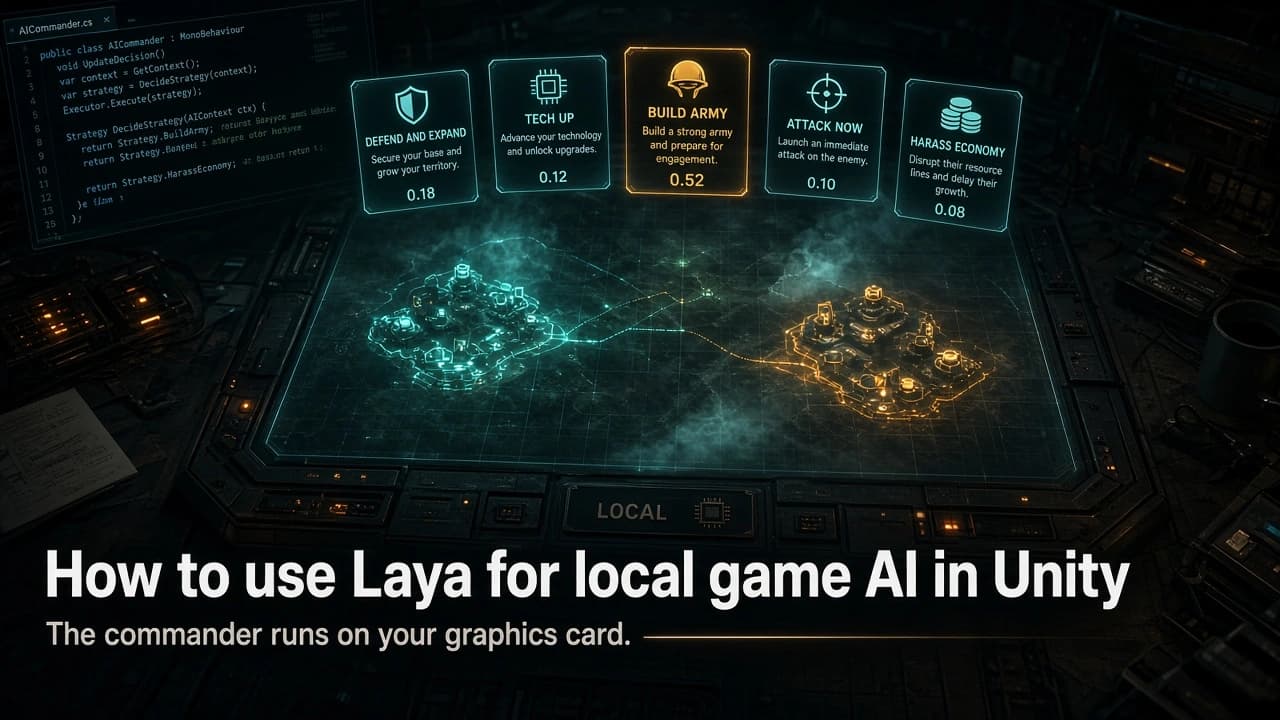
Laya is an open source, Apache-2.0 offline decision model (421M) that runs on GPU, Mac, or CPU with under 1.5 GB RAM. We show its hardware needs, speed, accuracy, and how to use it as a Unity RTS AI commander in C#.
By Tim UhlottFounder|Last updated: October 5, 2026|28 minutes read
game developmentailocal
In our last article we looked at Game Development with Jev, the hosted "decision model" from TypeSafe AI.Jev operates exclusively on TypeSafe's servers and is accessible only via their API. This means it cannot be used for offline games. For offline games, Jev isn’t an option yet.Laya is the open source answer here. It is a free, Apache-2.0 decision model from Convai Innovations that does the same job (state in, typed decisions out), but runs on your player's PC, on a 4 GB graphics card.Let's have a look at what Laya is, what hardware it needs, how fast and accurate it is, and how to wire it into a Unity game. Laya is a Python project, but it runs as a small local service and everything else is C#. Our example throughout is a real-time strategy game we will call Ironfront.
What Laya is
Laya (opens in a new tab) was released on September 18, 2026, three days after Jev, by Convai Innovations (opens in a new tab), a small company from Kerala, India. Within two weeks it passed 20,000 GitHub stars.Laya reads a short description of a situation and answers typed questions about it in one pass through a small network. It never writes text, same as Jev. It picks options (Choice), rates on a scale you define (Score), or returns a yes/no probability (Noul). Those are Jev's three question types on purpose: Laya's server speaks Jev's wire format, POST /v1/systemone, so a Jev client only needs a new URL.
Checkpoint
Base model
Parameters
Context
Good for
laya
ModernBERT-large
421M
512 tokens
English. The default. About 800 MB
laya-multilingual
mmBERT-base
322M
1,024 tokens (up to 8,192)
100+ languages, about twice as fast. About 650 MB
Under the hood, Laya is a text encoder with a small decision head that scores one marker token per option. Unlike TypeSafe, Convai published the training code and a notebook that runs on free Kaggle GPUs. For game developers, that notebook is the most interesting part of the project.
Laya versus Jev at a glance
Jev 1.13 (TypeSafe)
Laya (Convai)
How you get it
Hosted API, $0.042 per million input tokens
pip install laya, free, Apache 2.0
Runs offline
No
Yes, under 1.5 GB of VRAM or RAM
Latency, one question
70 to 500 ms in the US, 600 to 700 ms from Europe
5 to 40 ms on a GPU or Mac, 200 to 600 ms on CPU
Zero-shot accuracy
Higher on most independent tests
Lower, often much lower
Fine-tuning
Not offered
Yes, with a published notebook
Deterministic
No, about 1% of answers change on rerun
Yes, on the same hardware and precision
Laya wins "runs offline" by default and Jev wins "zero-shot accuracy" clearly. The rest of this article is about making that second row not matter.
What hardware you need
Decision models like Laya are not so memory hungry as LLMs like ChatGPT. Laya requires about 1.3 GB for one request, so a 4 GB graphics card, a 16 GB MacBook Air, or 3 GB of free RAM with no GPU is enough. But you have to look at the speed when you choose running on GPU or CPU. These are public median latencies from Convai's benchmarks (opens in a new tab) and community ports already have done that for you:
On any GPU, Laya needs 5 to 40 ms, less than a frame at 30 FPS, where Jev's best case was 70 ms. Batching is nearly free on a GPU and linear on a CPU. The multilingual checkpoint is about twice as fast everywhere, at a small cost in English accuracy.For our example game Ironfront, a commander decision every 10 to 15 seconds plus threat ratings and squad orders add up to one or two calls per second with 3 to 10 questions each. Any GPU from the last six years handles that; CPU only is enough for the commander alone. And since the GPU is also drawing your game (Convai saw 100 ms instead of 40 on a shared GPU), measure on your minimum spec with the renderer running.
Takeaway: 1 GB of memory, any GPU, a few milliseconds per decision. On a CPU it works for slow decisions only.
How fast is it compared to Jev?
Independent head-to-heads agree with Convai's "7.8x faster" headline for small calls. laya-jev-lab (opens in a new tab) measured 7.6 ms on an M4 Max against 588 ms for Jev. Two Tetris matches (atomic.chat (opens in a new tab) and one posted on X) had Laya deciding ten times faster, 21.8 ms per move versus 220.9 ms, and clearing more lines before dying. The browser Tetris demo (opens in a new tab) lists every legal placement and asks Laya to pick one, the same pattern we use for Ironfront.The catch is big batches. On an M3 Pro, 50 questions on one state took Laya 1,002 ms and Jev 170 ms, because Jev's servers batch well and a Mac does not. For 3 to 10 questions per call Laya wins; for 200, Jev wins.
How accurate is it?
Convai's README says it plainly: "Laya is a fast base to specialise, not a zero-shot decision engine." On the Decision Index (opens in a new tab), 38 benchmarks where 0 is random and 100 is perfect, Laya scores 6.04 and Jev 57.91. On JevBench (opens in a new tab) Laya ranks 41st, Jev 2nd. Zero-shot, Laya is close to random on broad tests.Fine-tuning changes that. On Convai's typed-decisions benchmark the base model scored 0.362, the fine-tuned one 0.766, above Jev's zero-shot 0.727. A community browser agent went from 0.10 to 0.66 at picking the right web element out of 45, on one 16 GB GPU. Not a fair fight, since the fine-tuned model saw the training split, but for a game developer that is the point: you control the task and the data.Calibration is the same story. As shipped, the English checkpoint is badly overconfident (calibration error 0.466). After fitting one temperature per question type on a few hundred labeled examples, which the notebook does, it drops to 0.081. Do not use a confidence threshold before that step.Pitfalls from the docs and the game demos:
Pitfall
What to do
Numbers. In the Pong demo the model "never moved when the state was three numbers"
Write "our army is much smaller than theirs", not army_value: 1420
Order and count. At 20 options, shuffling flipped 15% of answers
Short phrases, short lists, fixed order
yes/no keys pull the answer toward the label text
Use game verbs like attack and hold
512 tokens total, about 320 to 460 for your state
Two paragraphs at most. Never send unit lists
Takeaway: Zero-shot, Laya is not Jev. Fine-tuned on your own game it can beat Jev on your own game, in 20 ms with no bill. Plan the fine-tuning step from day one.
How to use Laya in a Unity game
Laya is a Python project that, when started, brings up a small local service. However, this does not mean your users have to install or run Python. For local development, I recommend using the Python project locally, and when you ship, you can include the built project in your game as an executable.
Step 1: run Laya as a local service
During development, install the official Laya server. It answers on POST /v1/systemone and reports GET /health:
The first launch downloads the checkpoint; after that, it works offline. On NVIDIA, running pip install "laya[fast]" adds kernels that improve performance on NVIDIA hardware from 17.7 ms to 4.6 ms.For shipping, put the community ggmlc laya executable and a GGUF file in StreamingAssets. The player does not install Python. That binary answers on POST /api/decide. This is for Windows, macOS, and Linux standalone builds. Consoles, mobile, and WebGL cannot start a sidecar process.Here is what the game sends, in Ironfront terms:
{"state":{"time":"early game, about 6 minutes in","our_bases":"one main base, expansion under construction","our_army":"small, mostly infantry, a few tanks. Much smaller than the enemy's","enemy":"scout saw a second enemy base and a barracks with many infantry","resources":"ore is low, energy is fine","last_enemy_action":"two scouts probed our east wall and left"},"questions":{"plan":{"type":"choice","instructions":"Pick the best plan for the next minute.","criteria":{"defend_and_expand":"finish the expansion and keep the army home","tech_up":"build the factory upgrade before more units","build_army":"spend everything on more combat units","attack_now":"send the current army at the nearest enemy base","harass_economy":"send a small fast group to kill enemy harvesters"}},"threat":{"type":"score","instructions":"How much danger is our main base in right now?","criteria":["safe","being watched","attack likely soon","under attack"]},"enemy_rushing":{"type":"noul","instructions":"The enemy is preparing an early rush.","criteria":{"true":"the enemy is massing cheap units for an early attack","false":"the enemy is playing a normal, slower build"}}}}
And what comes back, about 40 ms later on a T4 class GPU:
Every state value is words, every option is a phrase, and the Noul has its own criteria text, because without it the English checkpoint tends to answer "no" regardless of state. In the response, read answer_confidence (the probability of the chosen option), not confidence, which Convai says does not transfer between option counts.
Step 2: typed questions in C#
Three helper functions keep questions readable. They build plain dictionaries instead of anonymous types, so IL2CPP stripping won't break Newtonsoft serialization.
One HttpClient call with a short timeout. It returns null on any failure, and the caller treats null as "run the old scripted AI this tick". HttpClient and Newtonsoft (com.unity.nuget.newtonsoft-json) both work on Unity's .NET Standard 2.1 profile for desktop players.
usingSystem;usingSystem.Net.Http;usingSystem.Text;usingSystem.Threading;usingSystem.Threading.Tasks;usingSystem.Collections.Generic;usingNewtonsoft.Json;usingNewtonsoft.Json.Linq;publicsealedclassLayaClient{privatestaticreadonlyHttpClient Http =newHttpClient();privatereadonlystring _endpoint;// Same wire format as TypeSafe's Jev. If a server build ever wants a hosted model instead,// this URL is the only thing that changes.publicLayaClient(string endpoint ="http://127.0.0.1:8000/v1/systemone"){ _endpoint = endpoint;}// Returns the "answers" object, or null if the sidecar did not answer in time.publicasyncTask<JObject>AskAsync(object state,Dictionary<string,object> questions,int timeoutMs =250){var body =newJObject{["state"]= JToken.FromObject(state),["questions"]= JToken.FromObject(questions)};usingvar cts =newCancellationTokenSource(timeoutMs);usingvar content =newStringContent(body.ToString(Formatting.None), Encoding.UTF8,"application/json");try{var response =await Http.PostAsync(_endpoint, content, cts.Token);if(!response.IsSuccessStatusCode)returnnull;var json = JObject.Parse(await response.Content.ReadAsStringAsync());return json["answers"]asJObject;}catch(Exception){returnnull;// timeout, sidecar not up yet, or a bad response: the caller falls back}}}publicstaticclassLayaAnswers{publicstaticstringChoice(JObject answers,string id)=>(string)answers[id]?["choice"];publicstaticfloatAnswerConfidence(JObject answers,string id)=>(float?)answers[id]?["answer_confidence"]??0f;publicstaticfloatScore(JObject answers,string id)=>(float?)answers[id]?["score"]??0f;publicstaticfloatNoul(JObject answers,string id)=>(float?)answers[id]?["noul"]??0f;}
The timeout is 250 ms, not Jev's 600 ms. The server is local, so a slow answer means something is wrong, and the right move is to fall back, not to wait.
Step 4: starting and stopping the sidecar from Unity
A small MonoBehaviour starts the sidecar when the match loads, waits for GET /health, and kills it on quit. System.Diagnostics.Process works in Windows, macOS, and Linux standalone builds, not on consoles, mobile, or WebGL.
usingSystem.Diagnostics;usingSystem.Net.Http;usingSystem.Threading.Tasks;usingUnityEngine;publicsealedclassLayaSidecar:MonoBehaviour{// During development this is "laya-serve" from your Python environment.// For shipping, point it at the ggmlc "laya" binary in StreamingAssets and pass// "serve laya_english_q8_0.gguf --port 8000" as arguments (and adapt the client route).[SerializeField]privatestring executable ="laya-serve";[SerializeField]privatestring arguments ="";[SerializeField]privateint threadsIfCpu =4;// physical cores, not logical. See the hardware sectionpublicbool Ready {get;privateset;}privateProcess _process;privateasyncvoidStart(){var psi =newProcessStartInfo{ FileName = executable, Arguments = arguments, UseShellExecute =false, CreateNoWindow =true,}; psi.Environment["LAYA_HOST"]="127.0.0.1"; psi.Environment["LAYA_MODELS"]="english"; psi.Environment["LAYA_PRELOAD"]="1"; psi.Environment["LAYA_THREADS"]= threadsIfCpu.ToString(); _process = Process.Start(psi);// Cold start is a few seconds on a GPU and longer on a CPU. Poll health, do not guess.usingvar http =newHttpClient();for(int i =0; i <120&&!Ready; i++){try{var r =await http.GetAsync("http://127.0.0.1:8000/health"); Ready = r.IsSuccessStatusCode;}catch{/* not listening yet */}if(!Ready)await Task.Delay(500);}}privatevoidOnApplicationQuit(){if(_process !=null&&!_process.HasExited) _process.Kill();}}
Until Ready is true, the commander runs your scripted AI. Nothing in the game ever waits on Laya.
Step 5: the commander
The Ironfront commander runs on a 12-second timer: build the state in words, build the legal plan list, ask, validate, fall back. After an await in a MonoBehaviour, Unity's synchronization context brings you back to the main thread, so touching game objects after the call is safe.
usingSystem.Collections;usingSystem.Collections.Generic;usingSystem.Threading.Tasks;usingNewtonsoft.Json.Linq;usingUnityEngine;publicsealedclassAICommander:MonoBehaviour{[SerializeField]privateLayaSidecar sidecar;[SerializeField]privatefloat intervalSeconds =12f;// Measure this after fitting temperatures on your own data. The shipped checkpoints are// overconfident, so do not copy a number from a blog post, including this one.[SerializeField,Range(0f,1f)]privatefloat confidenceThreshold =0.5f;privateLayaClient _laya;privateScriptedCommander _fallback;// the AI you already haveprivateBuildOrders _buildOrders;privateBaseDefense _defense;privateMatchReader _match;// whatever reads your match stateprivatevoidAwake(){ _laya =newLayaClient();}privatevoidStart(){StartCoroutine(Loop());}privateIEnumeratorLoop(){var wait =newWaitForSeconds(intervalSeconds);while(true){yieldreturn wait;if(sidecar.Ready) _ =ThinkAsync();else _fallback.Tick();}}privateasyncTaskThinkAsync(){// 1. Words, not numbers. The game does the math and writes the sentence.var state =newDictionary<string,string>{["time"]= _match.PhaseInWords(),// "early game, about 6 minutes in"["our_bases"]= _match.BasesInWords(),// "one main base, expansion under construction"["our_army"]= _match.ArmyComparedToEnemyInWords(),// "much smaller than the enemy's, mostly infantry"["enemy"]= _match.LatestScoutReportInWords(),// "a second enemy base and a barracks with many infantry"["resources"]= _match.ResourcesInWords(),// "ore is low, energy is fine"["last_enemy_action"]= _match.LastEnemyActionInWords()};// 2. Only offer plans the AI can actually execute right now.var legal =newDictionary<string,string>();if(_match.CanAffordExpansion) legal["defend_and_expand"]="finish the expansion and keep the army home";if(_match.FactoryUpgradeReady) legal["tech_up"]="build the factory upgrade before more units"; legal["build_army"]="spend everything on more combat units";if(_match.HasArmy) legal["attack_now"]="send the current army at the nearest enemy base";if(_match.HasFastUnits) legal["harass_economy"]="send a small fast group to kill enemy harvesters";var questions =newDictionary<string,object>{["plan"]= LayaQ.Choice("Pick the best plan for the next minute.", legal),["threat"]= LayaQ.Score("How much danger is our main base in right now?","safe","being watched","attack likely soon","under attack"),["enemy_rushing"]= LayaQ.Noul("The enemy is preparing an early rush.","the enemy is massing cheap units for an early attack","the enemy is playing a normal, slower build")};// 3. Ask. The previous plan keeps running while this is in flight.JObject answers =await _laya.AskAsync(state, questions);// 4. Validate, then fall back to the scripted commander if anything looks off.string plan = answers !=null? LayaAnswers.Choice(answers,"plan"):null;if(plan ==null||!legal.ContainsKey(plan)|| LayaAnswers.AnswerConfidence(answers,"plan")< confidenceThreshold){ _fallback.Tick();return;}// 5. Hand the plan to the systems that already know how to do it. _buildOrders.Switch(plan); _defense.SetAlertLevel(LayaAnswers.Score(answers,"threat"));if(LayaAnswers.Noul(answers,"enemy_rushing")>0.7f) _buildOrders.QueueEmergencyDefenses();}}
Every helper ending in InWords() is where the real work is. Writing good state sentences is the design task; the model is the easy part. Commander personalities are just different instructions on the same question.
Step 6: bases and squads in the same call
A commander, three bases, and four squads are eight questions. On a GPU they share one forward pass: about 70 to 160 ms on a T4, well under 40 ms on a modern desktop card.
privateDictionary<string,object>OperationsQuestions(IEnumerable<PlayerBase> bases,IEnumerable<Squad> squads){var questions =newDictionary<string,object>();foreach(var b in bases){ questions[$"threat_{b.Id}"]= LayaQ.Score($"How much danger is the {b.NameInWords} in right now?","safe","being watched","attack likely soon","under attack");}foreach(var s in squads){// Legal orders only. If there is nowhere to retreat to, pull_back is not on the list.var legal =newDictionary<string,string>();if(s.HasVisibleEnemy) legal["engage"]="attack the enemy group in front of us"; legal["hold"]="hold this position";if(s.HasRetreatPoint) legal["pull_back"]="fall back to the nearest friendly base";if(s.HasFastUnits) legal["flank"]="circle around and hit the enemy from the side"; questions[$"order_{s.Id}"]= LayaQ.Choice($"Pick the best order for the {s.NameInWords}.", legal);}return questions;}
Read them back by id with LayaAnswers.Choice(answers, $"order_{s.Id}") and validate each squad's pick against its own legal list. One catch: all questions share one state of roughly 320 to 460 tokens. One sentence per base and squad fits for a handful of them, not for forty.
Step 7: recording training data from Unity
This is where Laya pulls ahead of Jev, and it is a C# job too. Every playtest is a sequence of states and human decisions. Every 15 seconds, write the state sentences the commander would see, the legal plan list, and the plan the human actually executed next. One JSON line per decision.
usingSystem.Collections.Generic;usingSystem.IO;usingNewtonsoft.Json;usingNewtonsoft.Json.Linq;publicsealedclassDecisionRecorder:System.IDisposable{privatereadonlyStreamWriter _writer;publicDecisionRecorder(string path){ _writer =newStreamWriter(path,append:true);}publicvoidRecord(Dictionary<string,string> state,Dictionary<string,string> legalPlans,string planThePlayerChose){var row =newJObject{["state"]= JToken.FromObject(state),["questions"]= JToken.FromObject(newDictionary<string,object>{["plan"]= LayaQ.Choice("Pick the best plan for the next minute.", legalPlans)}),["labels"]=newJObject{["plan"]= planThePlayerChose }}; _writer.WriteLine(row.ToString(Formatting.None));}publicvoidDispose()=> _writer.Dispose();}
Two thousand replays is tens of thousands of human commander decisions in exactly the sentence format your InWords() helpers produce at runtime. Write those helpers once and use them in both places.Training is the one Python step, on a build machine or a free Kaggle account. Convai's laya_finetune_typed_decisions_2xT4_kaggle.ipynb takes rows of state, question, and label, trains, fits calibration temperatures, and evaluates in 4 to 5 hours on Kaggle's free pair of T4s. The output is a checkpoint folder. Point the sidecar at it; the C# does not change. The same client also covers reading player chat to an allied commander, a pacing director, and picking which human-written bark fits the moment.
Running Laya inside the Unity process
A sidecar is the right first step, but a second process costs you: another executable to sign, antivirus prompts, and no path to consoles. The alternative is ONNX Runtime inside Unity, through onnxruntime-unity (opens in a new tab) and the receptron/laya-onnx (opens in a new tab) export (fp32, 1.3 to 1.7 GB). A Unity developer (@unitycoder_com (opens in a new tab)) has already played tic-tac-toe against it that way.The missing piece is a C# tokenizer matching ModernBERT's tokenizer.json. The official laya-dotnet (opens in a new tab) port targets .NET 10, so it does not drop into Unity, but its sequence builder and calibration code are portable. Do this port once Laya has earned its place: a few hundred lines of C#, a 1.7 GB asset, and a native plugin per platform. WebGL would need the browser port laya-ts (opens in a new tab) behind a .jslib bridge nobody has published.
Multiplayer and replays
Laya is deterministic on the same hardware and precision, which Jev is not, so a decision can be part of a replay. Across machines precision differs (bf16 flipped 3 of 864 answers against fp32), and in a lockstep RTS that is a desync. Run the AI commander on the host and broadcast its decisions as commands.
Takeaway: Laya as a local service, everything else in C#. Batch decisions into one call, validate against the legal list, fall back to your scripted AI, and record the same state sentences during playtests for fine-tuning.
Other local options
The System One Models directory (opens in a new tab) tracks the open decision models. Kev (0.8B to 9B, Apache 2.0) is better out of the box and ships training code. Von (395M) scores each option alone so order does not matter. Clef from Cloudflare (27B) is far more accurate but only fits on a server. Next to a renderer, Laya and Von are the only ones small enough.
Is it worth looking into?
You are building
Verdict
Why
Offline RTS, 4X, or strategy game
Yes, with fine-tuning
Commander decisions every 10 seconds are the perfect shape. Replays are free training data
Turn-based, card, roguelike, auto-battler
Yes
One decision per turn. Enumerate legal moves and let it pick
Real-time action with a few smart NPCs or a director
Yes, on a GPU
Same rules as Jev, without the network
Twitch shooter with per-frame control
No
Tactics, never steering
Mobile, Switch, consoles
Not yet
No sidecar, and the in-process path is unfinished
No GPU, no time to fine-tune, need good answers now
No, use Jev or Kev
Laya zero-shot on CPU is the worst of both worlds
Be aware of the limitations: Laya is text-based, still maturing, and requires a 0.5 to 0.9 GB model weight on each client.Decision models like Laya fill the gap between rigid behavior trees and heavyweight LLMs. Where Jev runs remotely, Laya brings smarter decision-making to your player's GPU, training included. Out of the box, it offers plausible guesses, but if you have replay data of real, human-made decisions, you can fine-tune it over a weekend using the Kaggle notebook. The result? A skirmish commander that understands your game like your testers do, answers in 20 ms, requires no Internet, no API key, and no billing surprises.If you're building strategy games in Unity, start by spinning up the sidecar, drop LayaClient into your scene, and wire up a single commander decision. No matter your architecture, keep your behavior trees for fallback and validation. Laya decides, and your C# stays in charge.
00 views
00 shares
Discussion about this post
No comments yet. Be the first to start the discussion.