Most obfuscators fail on Unity because they rename C# but leave the same names in assets, serialized data, and metadata. Learn why Mono, IL2CPP, and reflection make Unity different.
By Tim UhlottFounder|Last updated: September 3, 2026|23 minutes read
obfuscationunity
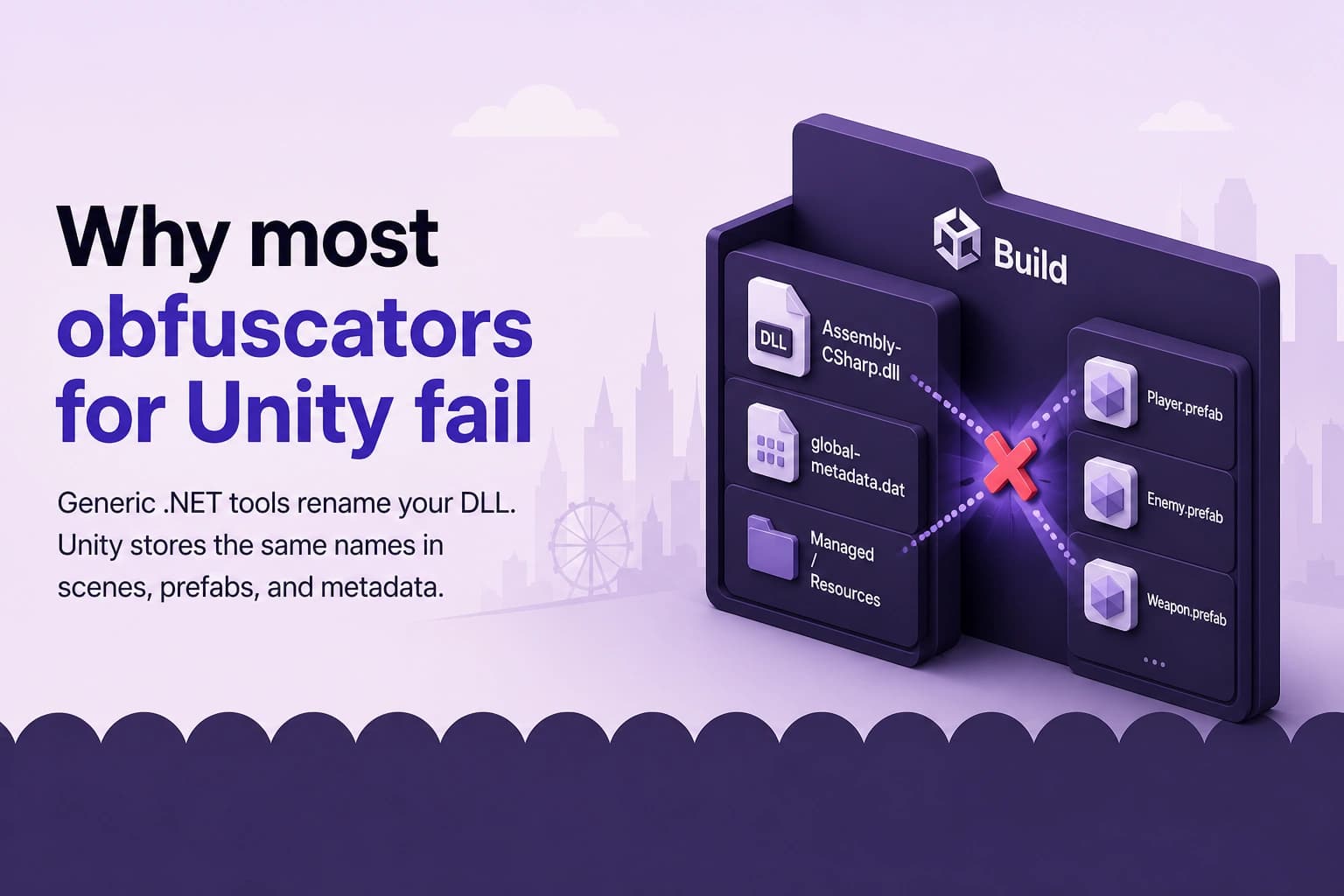
You can buy a well known .NET obfuscator, point it at Assembly-CSharp.dll, and watch it rename every class it can touch.This will produce two possible outcomes. Either you press Play in a player build and see missing scripts, empty Inspector fields, or buttons that no longer fire. Or the tool stays "safe" and refuses to rename the types that matter, so a dumper still finds PlayerHealth, IAPManager, and ValidateReceipt.Both outcomes look like an obfuscator that "does not work on Unity." Even if the tool did exactly what it was built to do. It rewrote compiled C#, but it is not Unity compatible C# code.Let us explore this gap. But first we will cover short what an obfuscator is and what Unity is. Then we will look at the files you actually ship on Windows and Android (as examples). And finally we will see why most obfuscators fail to protect Unity games and what solutions are available.
What is an obfuscator?
An obfuscator is a tool that changes compiled code so humans have a harder time reading it (even for AI, because it looses context), while the program still does the same work.The most common change is renaming. A class called LicenseValidator becomes a. A method called CheckKey becomes b. A field called maxHealth becomes c. Stronger tools can also hide strings or scramble the path a method takes, called hardening. Together it makes the life of a reverse engineer harder.
Takeaway: The goal is not to make a game unmodifiable or even unhackable. The goal is to remove the easy map: clear type names, clear method names, and searchable strings. If that map is gone, most attackers stop quickly.
What is the Unity engine?
Unity is a game engine. You write gameplay in C#, build scenes in an editor, and attach scripts to objects. Unity then ships a player for many platforms: Windows, macOS, Linux, Android, iOS, consoles, WebGL, and more.A Unity project is not "just source code." It is also scenes, prefabs, materials, ScriptableObjects, animation clips, Addressable catalogs, and other asset files. Those files remember which scripts sit on which objects, which fields have which values, and which methods a button or animation should call.That mix is why Unity can feel so productive and easy to use. You set maxHealth in the Inspector and never write load code for it. Unity just knows where to find it, using reflection.
The two scripting backends: Mono and IL2CPP
When you build a Unity player, you pick a scripting backend. Your available options are Mono or IL2CPP.Mono keeps your C# as managed .NET assemblies. In the built game, that usually means DLL files such as Assembly-CSharp.dll. At runtime, a Mono virtual machine loads those DLLs and runs them. This backend is often faster to iterate on. It is also the easy target for tools like dnSpy and ILSpy, because the assemblies still look like normal .NET code.IL2CPP (Intermediate Language to C++) takes a longer path. Unity still compiles your C# to IL first. Then il2cpp turns that IL into C++, and a native compiler turns the C++ into a platform binary. On Windows that binary is usually GameAssembly.dll. On Android it is usually libil2cpp.so. You no longer ship a simple readable game DLL.IL2CPP still needs a catalog of types, methods, fields, and strings. That catalog is global-metadata.dat. Specialized dumpers can read it and rebuild a useful outline of your game. So IL2CPP hides your original C# layout in the code itself, cause of the C++ conversion. But it does not erase the names unless you change those names before IL2CPP runs.
Backend
Where the game code lives
Where the names live
Easy first attack
Mono
Managed DLLs, often Assembly-CSharp.dll
Inside those DLLs
Open the DLL in a decompiler
IL2CPP
Native code (GameAssembly.dll or libil2cpp.so)
Inside those DLLs and in global-metadata.dat
Dump metadata, then search names
Takeaway: Mono and IL2CPP change the file format. They do not change the fact that Unity still needs your type names at runtime. Those are resolved at runtime using reflection.
One engine, many platforms, the same repeating structures
Unity's selling point is a universal build target. You write the game once and the editor can produce a Windows game, an Android APK, an iOS Xcode project, a console package, and more.To keep that many platforms compatible, Unity cannot invent a totally new game format for each one. It reuses the same kit, over and over:
A native player. On Windows that is an .exe plus UnityPlayer.dll. On Android that is libmain.so and libunity.so.
A data folder. Scenes, shared assets, boot files, and settings live here in the same family of files on almost every platform.
A scripting layer. Either Mono assemblies, or IL2CPP native code plus global-metadata.dat.
Extra folders for plugins, streaming assets, and (on some builds) Addressables.
That repetition is the point. A prefab that says "this object has PlayerHealth, and maxHealth is 100" can be understood on Windows and on Android because both players speak the same asset language. The names travel with the data. They are not baked only into one platform binary.This is great for shipping but hard for obfuscation. If you rename a class in code and leave the old name in the shared data, one platform is not the problem. Every platform that loads that asset will fail the same way.
Typical Unity build files
The exact file list shifts a little with Unity version, compression, and whether you use Addressables. The shape stays stable. Here is what you usually get.
Windows
A Windows standalone build is a folder. Players can open it in Explorer. That is why Windows is the easiest place to learn Unity's layout.A typical Mono build looks like this:
MyGame/
|
├── MyGame.exe                                  native player, launches the game
├── UnityPlayer.dll                             the Unity engine
├── ...
|
└── MyGame_Data/
    ├── globalgamemanagers                      global managers (tags, layers, ...)
    ├── globalgamemanagers.assets               assets those managers reference
    ├── level0                                  first scene in Build Settings
    ├── resources.assets                        contents of Resources folders
    ├── sharedassets0.assets                    assets used by level0
    ├── ...
    |
    ├── Managed/ —————>                         compiled C#, the easy dump target
    |   ├── Assembly-CSharp.dll                 your game scripts
    |   ├── Assembly-CSharp-firstpass.dll       plugins compiled first
    |   ├── UnityEngine.CoreModule.dll          Unity engine module
    |   └── ...                                 other Unity and plugin DLLs
    |
    └── MonoBleedingEdge/                       embedded Mono runtime
        └── EmbedRuntime/
            └── mono-2.0-bdwgc.dll              the Mono virtual machine
The files that matter for code reading are in Managed/. Assembly-CSharp.dll is almost always your game scripts. The *_Data files next to it are the scenes and assets. You may also see .resS or .resource companions next to those assets, plus Resources/unity default resources and Resources/unity_builtin_extra. Some projects pack many data files into one data.unity3d archive. The content is the same idea.A typical IL2CPP build looks like this:
MyGame/
|
├── MyGame.exe                                          native player, launches the game
├── GameAssembly.dll                                    compiled game code (native)
├── UnityPlayer.dll                                     the Unity engine
├── UnityCrashHandler64.exe                             crash reporter
├── baselib.dll                                         IL2CPP base library
├── SymbolMap                                           native symbol map
|
├── MyGame_Data/
|   ├── globalgamemanagers                              global managers (tags, layers, ...)
|   ├── globalgamemanagers.assets                       assets those managers reference
|   ├── level0                                          first scene in Build Settings
|   ├── resources.assets                                contents of Resources folders
|   ├── ...
|   |
|   └── il2cpp_data/                                    IL2CPP runtime data
|       ├── Metadata/
|       |   └── global-metadata.dat                     type, method, and field names
|       └── Resources/
|
└── MyGame_BackUpThisFolder_ButDontShipItWithYourGame/  generated C++ / debug. Keep, do not ship.
GameAssembly.dll holds the compiled game code. global-metadata.dat holds the names and structure the IL2CPP runtime needs. The *_BackUpThisFolder_ButDontShipItWithYourGame folder can contain generated C++ and debug files. Keep a backup if you need it. Do not ship it.Notice what did not change. The data files are still there: globalgamemanagers, level0, sharedassets0.assets, resources.assets. Mono and IL2CPP change the scripting layer. They reuse the same asset structure.
Android
An Android build is usually an APK (or a set of splits inside an AAB). An APK is a zip file. Rename it to .zip and you can list the same kinds of files.A typical Unity APK contains:
MyGame.apk/
|
├── AndroidManifest.xml                             Android wrapper, launches Unity
├── classes.dex                                     Java/Kotlin wrapper code
├── resources.arsc                                  Android resource table
├── res/                                            Android resources
├── META-INF/                                       signing and package metadata
|
├── assets/
|   └── bin/
|       └── Data/
|           ├── globalgamemanagers                  global managers (tags, layers, ...)
|           ├── globalgamemanagers.assets           assets those managers reference
|           ├── level0                              first scene in Build Settings
|           ├── resources.assets                    contents of Resources folders
|           ├── sharedassets0.assets                assets used by level0
|           ├── data.unity3d                        sometimes, instead of loose asset files
|           ├── Managed/                            Mono DLLs, or IL2CPP metadata on many versions
|           └── StreamingAssets/                    files copied into the build as-is
|
└── lib/
    ├── arm64-v8a/                                  64-bit ARM, the usual target
    |   ├── libmain.so                              starts the player
    |   ├── libunity.so                             the Unity engine
    |   └── ...                                     other native plugins
    └── armeabi-v7a/                                older or dual-ABI builds
        └── ...
If the backend is Mono, you also get:
MyGame.apk/
|
├── assets/bin/Data/Managed/
|   ├── Assembly-CSharp.dll                 your game scripts
|   └── UnityEngine.*.dll                   Unity engine modules
|
└── lib/arm64-v8a/
    ├── libmonobdwgc-2.0.so                 the Mono virtual machine
    └── ...
If the backend is IL2CPP, you also get:
MyGame.apk/
|
├── lib/arm64-v8a/
|   ├── libil2cpp.so                            compiled game code (native)
|   └── libbaselib.so                           IL2CPP base library
|
└── assets/bin/Data/Managed/Metadata/
    └── global-metadata.dat                     type, method, and field names
On some Unity versions the metadata sits under assets/bin/Data/il2cpp_data/Metadata/ instead. The file name is still global-metadata.dat.libmain.so starts the player. libunity.so is the engine. classes.dex and AndroidManifest.xml are the Android wrapper that launches Unity. Your scenes and prefabs still live under assets/bin/Data/, in the same family of files you saw on Windows.That is the repeating structure again. The zip wrapper might change but the game's own files do not.
What obfuscation changes, and where those names go
After the build files, the remaining job of an obfuscator looks simple. It renames the identifiers in your compiled C# code:
namespaces
classes and structs
methods
fields and properties
events
parameters and other leftover metadata
Those new names then become the official names of your game at runtime.On Mono, they are written into the managed assemblies. A decompiler that opens Assembly-CSharp.dll will show a, b, and c instead of PlayerHealth.On IL2CPP, Unity consumes those assemblies while it generates C++. The renamed identifiers are copied into global-metadata.dat. A dumper that reads that file will recover the names that were present at conversion time. If you renamed first, the dump is a list of junk symbols. If you did not, the dump is a labeled map of your systems.So far, this is normal C# protection. It works on a desktop app that never stores type names in a separate asset file. But Unity does so.
// Before obfuscation. Easy to find in a DLL or in global-metadata.dat.publicclassPlayerHealth:MonoBehaviour{[SerializeField]privateint maxHealth =100;publicvoidTakeDamage(int amount){ maxHealth -= amount;}}
// After renaming. The code can still run, if every other copy of the name is updated too.publicclassa:MonoBehaviour{[SerializeField]privateint b =100;publicvoidc(int d){ b -= d;}}
The second snippet is what you want attackers to see. It is also what Unity itself has to load. That is where most tools fail.
The problem: Unity leans on reflection
Reflection is a way for a program to look itself up by name at runtime. Instead of the compiler baking a hard link to PlayerHealth.TakeDamage, the running game can ask questions like:
Do I have a type called PlayerHealth?
Does it have a field called maxHealth?
Does it have a method called TakeDamage?
A tiny version of that idea looks like this:
usingSystem;usingSystem.Reflection;usingUnityEngine;publicclassFakeUnityLoader:MonoBehaviour{voidStart(){// Unity does a more complete version of this when a scene or prefab loads.Type type = Type.GetType("PlayerHealth");Component component = gameObject.AddComponent(type);FieldInfo field = type.GetField("maxHealth", BindingFlags.Instance | BindingFlags.NonPublic
); field.SetValue(component,100);MethodInfo method = type.GetMethod("TakeDamage"); method.Invoke(component,newobject[]{10});}}
If the class was renamed to a and the scene still asks for PlayerHealth, Type.GetType returns nothing. You get a missing script. If the class was renamed and the field was renamed, but the prefab still stores maxHealth, the value resets or disappears. If a button still stores TakeDamage, the click does nothing.Unity uses this style of lookup everywhere because of the repeating structures from earlier. The engine has to attach scripts, fill Inspector values, fire UnityEvents, run animation events, start coroutines by string, and talk to plugins, on every platform, from the same asset files. Names are the shared language between those files and the scripting backend.And this is typical for Unity games, reflection-based loading is the main way your content becomes a running scene.
Those names also live in assets, serialized data, and bundles
Your C# is only one copy of the name.Unity also writes names into:
scenes and prefabs
ScriptableObject assets
serialized fields on components
UnityEvents on buttons, sliders, and custom inspectors
animation events
Timeline and Playable assets
UI Toolkit bindings
Addressable catalogs (JSON or binary)
AssetBundles and other packed content
some plugin and networking configs that look up types by string
A button is a good example. In the Editor you pick TakeDamage from a dropdown. Unity does not compile that click into a hard C# call. It stores the method name as data. At runtime it finds the method by reflection.A prefab is the same idea. The object does not contain your source file. It contains a script reference plus a list of field names and values. maxHealth = 100 is data. The key for that data is the field name.AssetBundles and Addressables make the problem larger. Those packs can be built later, stored locally, or downloaded from a server. If they still contain the old names, a renamed player cannot load them. If you leave the names stable so the packs keep working, attackers search the same names in the metadata.So a Unity game has one logical name, PlayerHealth, stored in several physical places:
Place
Backend
What it is used for
Assembly-CSharp.dll
Mono
The actual type
global-metadata.dat
IL2CPP
The runtime catalog of types and members
Scenes, prefabs, assets
Both
Which script is on an object, and which field values to load
AssetBundles / Addressables
Both
The same references, often shipped or updated separately
Rename only the first row, and the others still tell the truth. Skip the Unity types so the later rows stay valid, and the first row still tells the truth to an attacker.
Why most obfuscators have to skip most of your code
Most obfuscators are built for normal .NET programs. They understand assemblies. They do not understand Unity YAML, binary assets, Addressable catalogs, or AssetBundles.When such a tool meets Unity, it has two choices.Choice 1: rename anyway. The DLL or the metadata changes. The prefab does not. The build looks protected and then fails in the player. Support threads fill up with "missing MonoBehaviour after obfuscation."Choice 2: skip the dangerous names. The tool leaves MonoBehaviour types, [SerializeField] fields, Unity message methods, animation targets, and anything a heuristic thinks is serialized. The build works. The protection is thin.Choice 2 is the common product decision. It is also why "I already use an obfuscator" can still mean your game map is public.And the skip list is not a small corner of a Unity project! Most gameplay lives on MonoBehaviour and ScriptableObject types. Combat, inventory, shops, ads, login, save data, and cheat checks are usually components on objects, not sealed helper classes with no serialized fields. If those types keep their names, the classes attackers search for first are still labeled.Generic tools can still rename a few private helpers. But that is nothing compared to what people think they bought.
Approach
Game still loads?
What attackers still see
Typical of
Rename code only
Often no
Broken build, then a rollback
Generic .NET protectors
Skip Unity types
Yes
PlayerHealth, shop and IAP class names
Most "Unity compatible" defaults
Rename code and patch the resources
Yes
Junk names in metadata and in assets
A Unity-first obfuscator
Takeaway: The failure is not "Unity cannot be obfuscated." The failure is "the tool never updated the other copies of the name." This is why most obfuscators for Unity fail.
GuardingPearSoftware Obfuscator patches those resources
GuardingPearSoftware Obfuscator is built for that second copy of the name.It runs inside the Unity (and Tuanjie) build pipeline. You do not export a DLL, protect it in a separate Windows app, and copy it back. When you press Build, it renames namespaces, classes, methods, fields, properties, and events. That includes the Unity types most tools skip: MonoBehaviour, ScriptableObject, and Playable classes.Then it updates the files that still store those names. Scenes, prefabs, serialized assets, Inspector values, UnityEvents, animation events, UI Toolkit data, and Addressable catalogs can be patched so the player loads the new names. The same rename is what later lands in Mono assemblies or in global-metadata.dat.That is the difference in one sentence. Other tools change the code and hope the assets still match. This one changes the code and the assets together.It can also hide strings, add fake code, and (on Mono) apply control flow. Mapping files stay available so your own crash logs can be translated back. A Free tier exists if you want to test the pipeline first. MonoBehaviour and namespace renaming are Pro features, because that is the part that has to touch assets.Also the tool stays on your machine, so you are not uploading the game to a cloud protector.If you only remember one test, use this one. Build with renaming enabled for your own gameplay types. Open the player files from the Windows or Android section above. Search for PlayerHealth in the assembly or in global-metadata.dat, then search the same name in a scene, prefab, or Addressable catalog. In a working Unity-first setup, the old name should be gone from both places.
A practical mindset
Most obfuscators for Unity fail cause of a simple reason, the structural reason.Unity is a cross-platform engine. To support that many targets, it reuses the same player, the same data files, and the same scripting catalog. Mono and IL2CPP change how code is stored, but they do not remove the names. Reflection uses those names to attach scripts and fill serialized data. Assets, bundles, and metadata need to keep extra copies of the names.A tool that only rewrites a DLL has to skip the code that makes your game a game. A tool that rewrites the DLL and the resources can rename the types attackers look for first, and still ship a player that loads and runs.If you want that second path, start with GuardingPearSoftware Obfuscator. Then test the protected build the way a player will run it, especially scenes, prefabs, purchases, saves, and any content that comes from an AssetBundle or Addressable pack.
4646 views
00 shares
Discussion about this post
No comments yet. Be the first to start the discussion.